Corkly › Sticky notes for Windows
Sticky notes for Windows that feel like a real corkboard
Notes, photos, checklists and voice notes on a cozy corkboard that lives on your Windows 10 or 11 desktop.
More than a sticky note
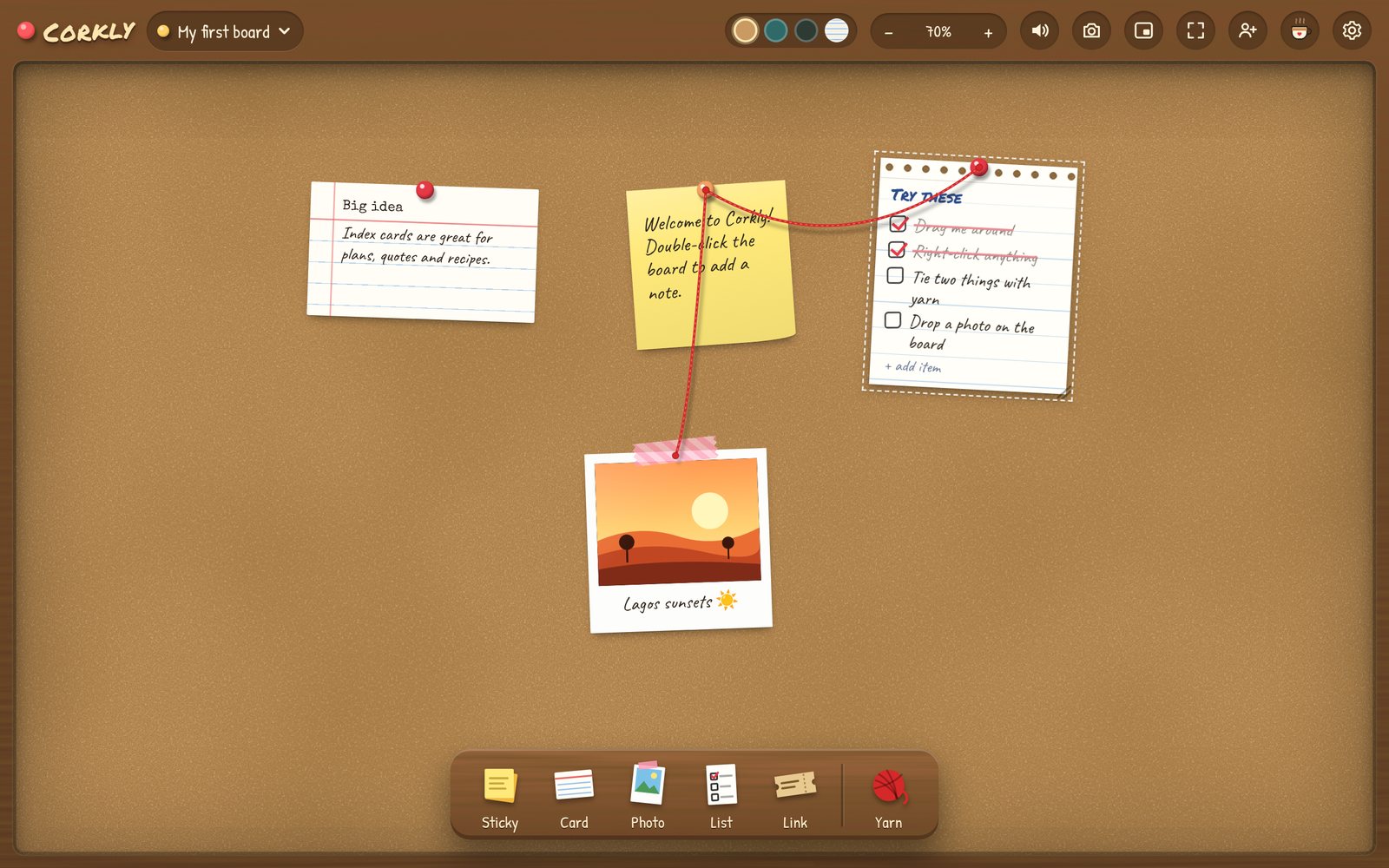
Windows’ built-in Sticky Notes is handy for a quick line of text. Corkly gives you a whole corkboard instead: pin notes next to a photo, a checklist, a countdown and a voice note, tie related things together with red yarn, and keep different boards for work, home and the people you love.
It starts with Windows, lives in the system tray, and can sit in a corner of your screen as a small widget.
What you can pin
- Sticky notes — six colors; double-click the board to add one.
- Polaroids — drop in a photo and caption it.
- Checklists — with a DONE! stamp and confetti when you finish.
- Voice notes — record a short message on a cassette.
- Countdowns — for birthdays, trips and deadlines.
- Games — X and O, Hangman and Dots & Boxes.
- Link tickets — links that look like little tickets.
- Red yarn — connect ideas like a detective board.
Built for your Windows desktop
- Desktop widget — a small board in the corner of your screen.
- System tray — closing tucks it away instead of quitting.
- Ctrl + Shift + Space shows or hides your board from anywhere.
- Starts with Windows (optional), and updates itself.
- Works on Windows 10 and Windows 11.
Corkly vs. Microsoft Sticky Notes
If you mostly jot text and like having notes in your Microsoft account, the built-in app is a good choice. Corkly is for when you want a board you can see at a glance — and share.
| Sticky Notes | Corkly | |
|---|---|---|
| Text notes | Yes | Yes |
| Photos, checklists, voice notes | Images in notes | Polaroids, checklists, voice notes |
| Everything on one board | Separate notes | A corkboard, many boards |
| Share a board live with someone | No | Yes — even with a Mac |
| Countdowns & games | No | Yes |
| Price | Built in | Free (optional Plus) |
Get started in a minute
- Download and run the Corkly installer.
- If Windows shows “Windows protected your PC”, click More info → Run anyway (you’ll only see this once).
- Take the 30-second tour, then click anything on the shelf to start pinning.
Questions
Is Corkly free on Windows?
Yes. Your own boards are free. Corkly Plus is optional and only adds more shared boards, more people per board and longer voice notes.
Which versions of Windows does it support?
Windows 10 and Windows 11.
Can I share a board with someone on a Mac?
Yes. Shared boards work between Windows and Mac — notes, photos, voice notes and games all show up live on both.
Why does Windows show a warning when I install it?
Windows shows “Windows protected your PC” for apps from smaller developers it doesn’t know yet. Click More info → Run anyway; you won’t see it again.